



























TECHNICAL SUPPORT


Published 2026-03-08
Have you also encountered this situation? Obviously theservohas been selected and the circuit has been set up, but it always fails to work when it is moved. It either shakes or the angle is incorrect. In fact, this is probably because you are missing aservocontrol board. To put it simply, theservocontrol panel is like a "commander", responsible for converting complex control signals into a language that the servo can understand, so that you can control it as you wish.
To put it bluntly, its core function is to free your brain and hands. Imagine if you want to control several servos at the same time, and each one has to use the pins of a microcontroller to generate precise PWM waves. How complicated the code would be to write and how much calculations would be required. The servo control board has its own processor. You only need to tell it "turn the No. 1 servo to 90 degrees" and it will complete the work by itself, which is very worry-free.
Another key role it plays is that of "translator". Ordinary servos receive signals with a specific frequency and pulse width. If the signal output by your main control board (such as a Raspberry Pi) is not standard, the servos will not work. The control board can ensure that the signal is clean, stable, and accurate, preventing the servo from shaking or losing strength, and making the entire system run more smoothly.
The first benefit this thing brings is "multi-tasking capability." For example, if you want to make a six-legged robot, 18 servos must move at the same time. Without a control board, your main control chips will be exhausted, and it will be almost impossible to get them to coordinate their actions. With the control board, it can process all servo signals in parallel, making the robot walk much more steadily.
The second benefit is "surge in accuracy." Many steering gear control boards have a feedback function that can read the current actual angle of the steering gear in real time. This is like a closed-loop system. If you say it turns 45 degrees, if it only turns 44 degrees, the control board will immediately make up for that 1 degree. This is a lifesaver for product innovations that require precise alignment, such as robotic arms grabbing things.
There are two questions you can ask yourself. First, are there more than 2 servos in your project? If so, you need to give it some serious thought. Because the pins and code logic will become exponentially more complicated, debugging will make you doubt your life. With the control board, you only need to plug in the line and send a simple serial command, which doubles the development efficiency.
The second question is, do you have any requirements for the smoothness of the movement? If you just want the servo to rotate back and forth, that's probably not necessary. But if you want the movement of the robotic arm to look elegant, continuous, and without a sense of lag, then the built-in trajectory planning function on the control panel is a must. It can automatically calculate the midpoint, making the servo movement as smooth as silk.
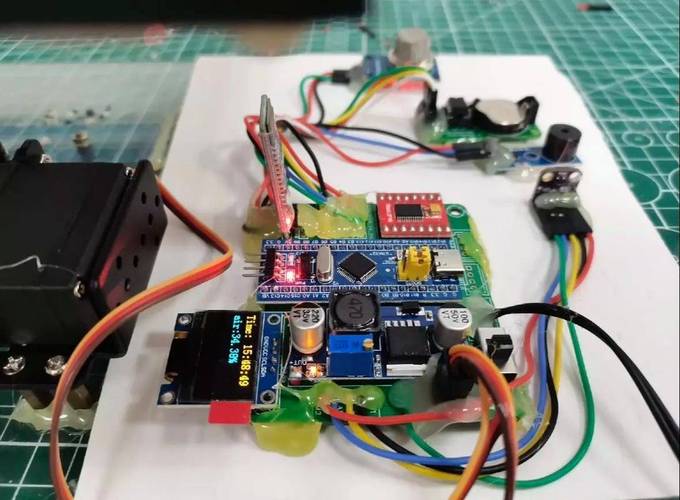
There are so many boards on the market, how to choose? First of all, it depends on what kind of servo you are using. Ordinary small servos and high-torque digital servos have completely different current requirements. You have to make sure that the output current of the control board can feed your servo, otherwise it will starve to death. ️ The first step is to count how many servos there are in your project, then add them up to calculate the peak current, and then look at the parameters of the control board.
Secondly, we need to look at the communication interface. Are you planning to use serial port (UART), I2C or PPM? For example, if you want to use a Raspberry Pi to control it, it is best for the board to support serial communication, so that it is easy for both parties to "talk". If you need wireless control, such as using Bluetooth, the board must have a corresponding interface. Don't buy it and find that it can't be connected to your main control.
When you get the board, don't rush into wiring, read the instructions first. Generally speaking, power supply is the first priority. Many novice servos don't work because the power supply is insufficient. You need to connect the power supply of the servo and the power supply of the control board separately. Especially when there are many servos, you must use an independent power supply to power them to avoid burning the control board. ️ The second step is to plug the servo signal cable into the corresponding channel on the control board. Do not plug it in backwards.
Next is debugging. Download the PC software provided by the manufacturer and connect to the computer via USB. In the software, you can drag the slider and directly see the steering movement. This is called "online debugging". You can first find the neutral and extreme positions of all servos and write down the values. ️ The third step is to fill in these values in your code, or save it as an action group, so that it can be easily called later.
The most common thing is that the servo shakes like a sieve. This is usually because the power ripple is too large or the ground wire is not connected properly. The solution is to connect a large capacitor at both ends of the power supply, such as 470 microfarads or more, which can effectively filter. At the same time, make sure that the GND (ground wire) of all devices is connected together. With a common reference point, the signal will not be chaotic.
Another problem is that the actions don't work as expected. For example, if you ask it to turn 180 degrees, it only turns 90 degrees. This is often because you have not set the angle range of the servo. Different servos have different pulse width ranges, some are 500-2500 microseconds, and some are 1000-2000 microseconds. You need to match this parameter in the software so that it can respond to your commands correctly.
After reading this, do you have more ideas for your own product innovation? What difficult problems did you encounter regarding servo control during the development process? Welcome to leave a message in the comment area and let’s discuss and solve the problem together. Don’t forget to like and share so that more friends can see these practical tips!
Update Time:2026-03-08
Contact Kpower's product specialist to recommend suitable motor or gearbox for your product.


