



























TECHNICAL SUPPORT


Published 2026-03-20
Want to control theservobut always can't turn it to the desired angle? This is a hurdle that almost everyone who is new to steering gear will encounter. Don't worry, I was confused at first. Today I will talk to you about how to use theservoangle to understand.
After getting theservo, don't rush to plug it into the board. We must first distinguish the three wires. The most common ones are red, brown, and orange. The red is connected to the 5V power supply, the brown is connected to the GND ground wire, and the orange is connected to the signal pin. There is a pitfall here to remind you, be sure not to connect the power supply and signal wires reversely, otherwise the servo will not turn at least, or the board will be burned directly.
In order to save trouble, some friends directly connect the servo power supply to the 5V port. This approach may not cause much problems in the short term on small servos such as SG90. However, if the servo is replaced with a high-power servo such as the MG995, the onboard voltage regulator chip cannot withstand such a large power.
The safe way is to power the servo separately, just connect the GND of the servo and the GND of the servo power supply together.
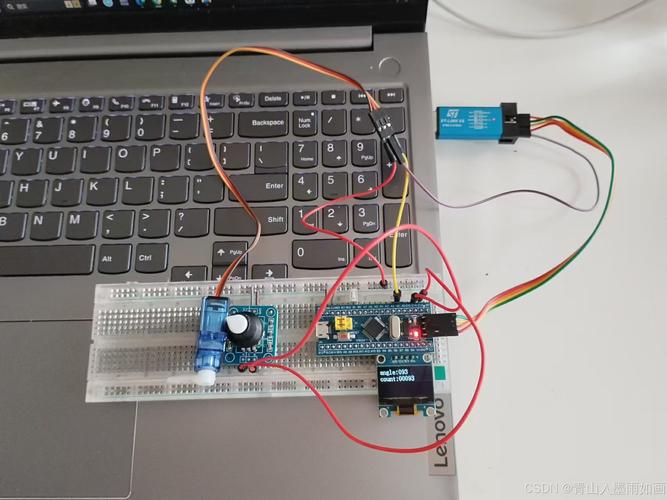
The process of controlling the servo is not too simple. The official library has thoughtfully encapsulated the underlying operations. First, you need to call the Servo.h library, then create a servo object, and use the method in the setup function to bind the pin. In this way, you can use the write method to directly write the angle. For example, when .write(90) is entered, the servo will accurately rotate to the 90-degree position.
The control of the servo is easily implemented in the official library, which effectively encapsulates the underlying operations. In the specific operation, first call the Servo.h library, then create a servo object, bind the pins through the method in the setup function, and then directly set the angle with the write method. Just like a command like .write(90), the servo will accurately rotate to the 90-degree position.
However, there is a detail that many people tend to ignore, that is, the actual rotation speed of the servo is determined by the speed of the signal you give. If you blindly write angle data crazily in the loop, the servo will not have time to respond. The correct approach should be to give sufficient delay, or use functions for non-blocking control. When writing code, remember that the angle range is usually from 0 to 180. Once it exceeds this range, the servo may make a clicking sound or even cause damage.
The code clearly says 90 degrees, but the steering gear is off by more than ten degrees. Don't doubt life at this time. The servo itself has a dead zone and will not move within a pulse width of a few microseconds. In addition, the mechanical assembly also has an impact. If you install the servo arm crookedly, all angles will be offset as a whole.
The solution is not difficult. You can use the map function to perform calibration. First measure the actual positions of 0 degrees and 180 degrees, and then use map to map the theoretical angle to the actual pulse width. If you want to pursue higher precision, you can consider using a 360-degree continuous rotating servo with an encoder, but that is an advanced method. In most projects, a simple calibration is sufficient.
To make a robotic arm or hexapod robot, one board needs several servos. If you still use delay at this time, you will find that the servos move in series, and one will not move until the next. To achieve synchronous motion, angle calculation and delay must be separated.
The most practical solution is to use the write method that comes with the Servo library and cooperate with the function for time management. Specifically, the target angle and target time of each servo can be stored separately, and then in the main loop, it can be determined whether the time for the servo to act has arrived. In this way, all servos can start turning at the same time, giving a visually synchronized effect.
Uno can control up to 12 servos, which is enough to meet the needs of most creative projects.
When several servos are turning together, the biggest fear is that the power supply cannot keep up. The symptoms are obvious: the steering gear is weak, vibrating, and even restarts directly. This is because the current when the servo is started is very large, exceeding the power supply capacity.
The solution is implemented in two steps. The first is to choose the right power supply. The 5V 2A adapter has certain limitations on the number of small servos it can drive. It can usually only drive two or three small servos. But when faced with this type of steering gear, the power requirements are higher. At least a 5V 5A switching power supply is required to meet its operating needs.
The second step is to add a capacitor. The specific operation is to connect a large capacitor in parallel between the positive and negative poles of the servo power supply, such as 470uF or a capacitor within this range. This can effectively suppress the instantaneous voltage drop, thereby ensuring the stable operation of the steering gear. A special reminder here is that you must not be lazy and only use battery power, because using only battery power is prone to various problems, which may affect the normal operation of the entire system.
After playing with more than a dozen servos, I have encountered a lot of pitfalls. The plastic gear SG90 is cheap, but it will easily sweep the teeth under a little force. The MG995 with metal gears is strong and durable, but requires high current. There is also a digital servo, which has fast response speed and high accuracy, but is also more expensive.
How you choose depends on your project needs. Make a smart car or manipulator, which is the most reliable, strong enough and not easy to break. If you are building a four-legged robot and have weight requirements, you can consider small metal-toothed servos from brands like Huisheng. Remember, spending an extra twenty yuan to buy a good servo is much more worry-free than disassembling it and replacing parts if it breaks.
What projects are you working on recently, and what interesting functions are you planning to use the servo to achieve? Let’s chat in the comment area.
Update Time:2026-03-20
Contact Kpower's product specialist to recommend suitable motor or gearbox for your product.


