
























TECHNICAL SUPPORT


Published 2026-03-09
When playing with theservo, you find that it can only turn 90 degrees. Isn’t it a headache? Originally, I wanted the little robot to wave its hands, but in the end it could only "nod" stiffly, which would indeed dampen a lot of creative enthusiasm. Don’t worry, this problem is very common and there is usually a solution. Today I will talk to you about the solution.
This usually has something to do with the type ofservoyou have. There are two types of common servos on the market: one is a standard servo, and its rotation range is generally 180 degrees; the other is specially designed for a specific angle, such as a 90-degree servo, and its mechanical structure limits it to only rotate within this range.
You can think of a servo as a joint that can only move on a fixed arc. Its starting point and end point are already set at the factory. If you find that it cannot rotate to the position you want, don't immediately suspect that it is broken. It is likely that it is a "specific" 90-degree model.
If you want your servo to "unlock" a wider range of motion, you must first confirm its "physique". You can check the product manual by model number, which is the most authoritative way. The manual will clearly state whether its maximum rotation angle is 90 degrees or 180 degrees.
If it is confirmed that it is a 90-degree servo, but you need a larger angle, the most direct way is to replace it with a 180-degree standard servo. It's like a pair of shoes that don't fit your feet. It's just a matter of changing them. When purchasing, remember to tell the supplier the "rotation angle" as a key parameter to solve the problem from the source.
When choosing a servo that can achieve 180-degree rotation, you can focus on several common series. For example, the well-known SG90 servo has a 180-degree version, which is relatively affordable and suitable for beginners to try.
There are also this type of metal gear servos, which have larger torque and usually a rotation angle of 180 degrees, which is suitable for occasions that require a certain amount of force.
When purchasing, don’t just look at the title, be sure to click on the details page to confirm the parameters. Merchants usually mark "working angle: 180°" or "0-180 degrees adjustable" in the specification sheet. Think of this sentence as your "reassurance", and you won't go wrong buying it.
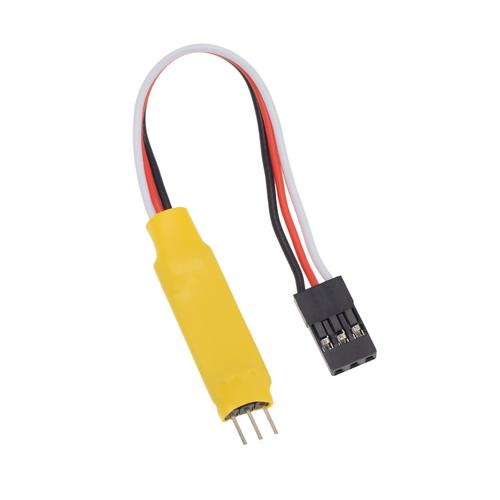
In addition to the hardware itself, the control signal also plays a decisive role in the position the servo can rotate to. The angle of the servo is controlled by a pulse signal with a period of 20 milliseconds. In this signal, the width of the high level, which is the pulse width, determines the rotation angle of the servo. For example, when the pulse width is 0.5 milliseconds, the servo rotates to 0 degrees; when the pulse width is 1.5 milliseconds, the servo rotates to 90 degrees; when the pulse width is 2.5 milliseconds, the servo rotates to 180 degrees.
If your servo is 180 degrees, but you only send it a signal between 1 millisecond and 2 milliseconds, then it will only move within a 90-degree range. At this time, you can check the pulse width setting in the code. Make sure that the setting covers the complete range from 0.5ms to 2.5ms, so that the potential of the servo can be fully utilized.
In addition, when we perform servo control, the accurate setting of the signal range is crucial for a 180-degree servo. If the signal is only between 1 millisecond and 2 milliseconds, the servo's range of motion is limited. Therefore, be sure to carefully check the code pulse width setting to cover the entire range from 0.5ms to 2.5ms, so as to maximize the performance of the servo.
It does have an impact. Many useful libraries, such asServo.h, set the pulse width range of the servo to a value corresponding to 0 to 180 degrees by default. Under normal circumstances, just callwrite(angle)directly, which is very convenient.
But sometimes you may use other libraries, or manually modify the pulse width range. If you accidentally set the minimum value too high or the maximum value too low, the actual physical travel of the servo will be limited. At this time, go back and check the initialization settings of the pulse width range in the program and make it correspond to the manual of your servo, and the problem can be easily solved.
In some cases, you may use a different library or adjust the pulse width range yourself. Once the minimum value is accidentally set too high or the maximum value is set too small, the actual physical stroke of the servo will be limited. At this time, you need to go back and check the initialization setting of the pulse width range in the program to match it with the servo manual, so that the problem can be solved smoothly.
The most direct manifestation of voltage instability is that the servo is weak, vibrating, or even unable to reach the specified angle. It looks like it is "stuck" in a certain range. Especially when multiple servos work at the same time, the instantaneous current demand is very large. If the power supply is insufficient, the voltage will be pulled down.
Imagine that you don’t have enough oxygen when running, so you can’t move forward naturally. The same goes for the steering gear. If the voltage is not enough, the power will be weak and it will not be able to turn to the predetermined position. Make sure to use a power adapter with sufficient power, or add a large capacitor to the circuit, which can effectively stabilize the voltage and allow the servo to "feast" and work well.
After talking so much, I wonder if you have encountered any strange and puzzling phenomena when playing with servos? Welcome to share your "trapped" experience in the comment area, and let's discuss and solve it together. If you find this article useful, don’t forget to like and share it with more Maker friends!
Update Time:2026-03-09

Contact Kpower's product specialist to recommend suitable motor or gearbox for your product.


