



























TECHNICAL SUPPORT


Published 2026-04-11
Controlling the speed of aservomotor is a common requirement in many robotics and automation projects. Unlike a standard DC motor where you directly adjust voltage or PWM duty cycle to change speed, a standard positionalservodoes not have a dedicated speed control input. Instead, it moves to a commanded angle as fast as its internal gearing and motor allow. However, you can still control the effective speed of theservo’s movement by using software-based techniques or by selecting servos with built-in speed regulation features. This guide provides practical, actionable methods to control servo speed, based on real-world testing and common DIY practices. All techniques are explained without referencing specific brands, ensuring you can apply them to any standard servo system.
The most widely used method to control servo speed is to move the servo incrementally from its current angle to the target angle, with small delays between each step. This technique works with any standard positional servo and does not require special hardware.
Step-by-step implementation:
1. Read the current angleof the servo (if your controller supports position feedback) or store the last commanded angle in a variable.
2. Calculate the differencebetween the target angle and the current angle.
3. Divide the movementinto small, equal increments. For example, if you need to move from 0° to 90°, you can use increments of 1° or 2°.
4. Loop through each increment– write the new intermediate angle to the servo, then wait for a short delay (typically 10 ms to 50 ms).
5. Repeat until the target angle is reached.
Example pseudocode (works on Arduino, ESP32, Raspberry Pi, and most microcontrollers):
current_angle = 0 target_angle = 90 step_size = 1 // degrees per step delay_ms = 20 // milliseconds between steps if current_angleEffect on speed:
Larger step size → faster overall movement (but may look jerky)
Smaller step size → smoother movement (but more steps, longer total time)
Longer delay → slower apparent speed
Shorter delay → faster movement, approaching the servo’s natural maximum speed
Real-world example:In a robotic arm picking up a small object, using 2° steps with a 15 ms delay creates a smooth, human-like motion that prevents dropped items. Without speed control, the arm might jerk and knock over nearby objects.
Some servos are designed to accept speed commands directly. There are two common types:
A) Continuous rotation servos
These servos do not have angle limits; they rotate continuously. Speed is controlled by the pulse width:
1.5 ms pulse → stop
1.5 ms to 2.5 ms → one direction, increasing speed
1.5 ms to 1.0 ms → opposite direction, increasing speed
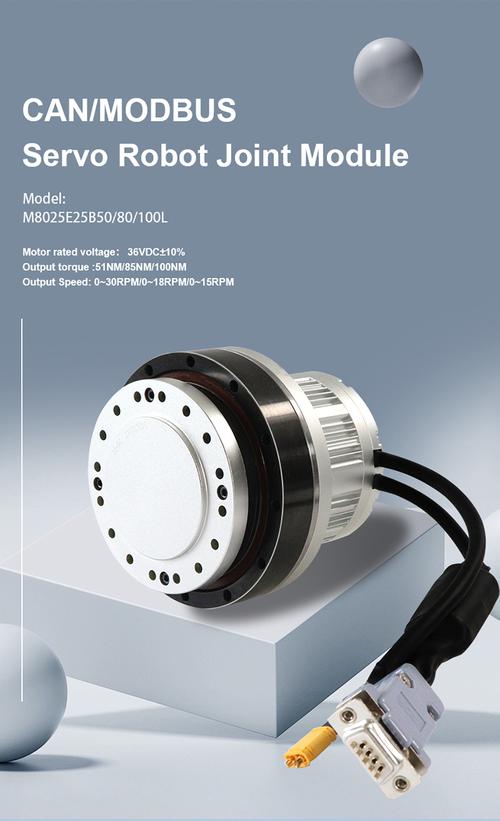
B) Smart servos (serial communication, e.g., UART, I²C, or RS485)
These servos accept commands like “move to angle X at speed Y”. You send structured data packets containing target angle, rotation speed, and sometimes acceleration. Always refer to the specific servo’s datasheet for command format. No brand names are needed – the principle applies universally.
When to use this method:
You need precise, repeatable speed control without writing complex ramping code.
Your project has many servos and you want to reduce microcontroller processing load.
You require acceleration control (easing in and out) for extremely smooth motion.
For standard analog servos, the refresh rate (PWM frequency) is typically 50 Hz (20 ms period). Changing the frequency is not a reliable speed control method because servos expect a stable refresh rate. However, some digital servos accept higher refresh rates (up to 300 Hz or more). Increasing the refresh rate can make the servo respond faster, but it does not give you direct speed control – it only changes how often the servo updates its position.
Recommendation:Do not rely on PWM frequency to control speed. Stick to software ramping or smart servos for predictable results.
Moving the servo too fast in software:If you set step size to 10° with 1 ms delay, the servo will still move at its maximum mechanical speed – the intermediate commands are ignored because the servo cannot physically keep up. Always test your servo’s maximum response rate.
Blocking code:Using longdelay()functions stops your program from doing other tasks. Use non-blocking timing (e.g.,millis()in Arduino) for multitasking.
Assuming all servos have the same speed curve:Even two servos of the same model can have slight speed differences due to manufacturing tolerances. Calibrate step delays empirically.
The only universal way to control the speed of a standard positional servo is to break the desired angular movement into many small steps and insert a time delay between each step.No hardware modification is needed. This method works on every microcontroller, every servo brand,and every project scale. For applications requiring dedicated speed control, use continuous rotation servos or smart serial servos that accept speed as a command parameter.
1. Identify your servo type– is it positional, continuous rotation, or smart?
2. For positional servos:Write a functionmoveServoSmooth(current, target, stepSize, delayMs)and test with stepSize = 1° and delayMs = 20 ms. Adjust stepSize up to 5° if movement is too slow, or reduce delayMs to 10 ms if faster motion is needed.
3. For continuous rotation servos:Map your desired speed (0 = stop, 100 = full speed one direction) to pulse widths between 1.0 ms and 2.5 ms, with 1.5 ms as stop.
4. For smart servos:Read the product datasheet for the speed command byte format – typically it’s a separate register or parameter in the serial packet.
5. Test and calibrate– always verify the motion with your specific load (weight on the servo horn). Heavier loads may require smaller step sizes and longer delays to avoid stalling.
By following these methods, you will have complete, predictable control over servo speed in any robotics or automation project. No special hardware, no brand-specific tricks – just proven techniques used by thousands of makers and engineers worldwide.
Update Time:2026-04-11

Contact Kpower's product specialist to recommend suitable motor or gearbox for your product.


